01
Live vibe camera
Point the camera and watch the energy meter fill and the mood colour shift, in real time, read entirely on your device. Switch on Auto and MoodCap takes the shot at your peak, so you stop guessing the timing.
Live mood meter, daily journal
Point the camera and the mood of the moment shows up live on the preview; press the shutter and MoodCap writes the one line you didn't say out loud, then keeps every card in a private diary that turns each month into a colour palette.
Download on the App Store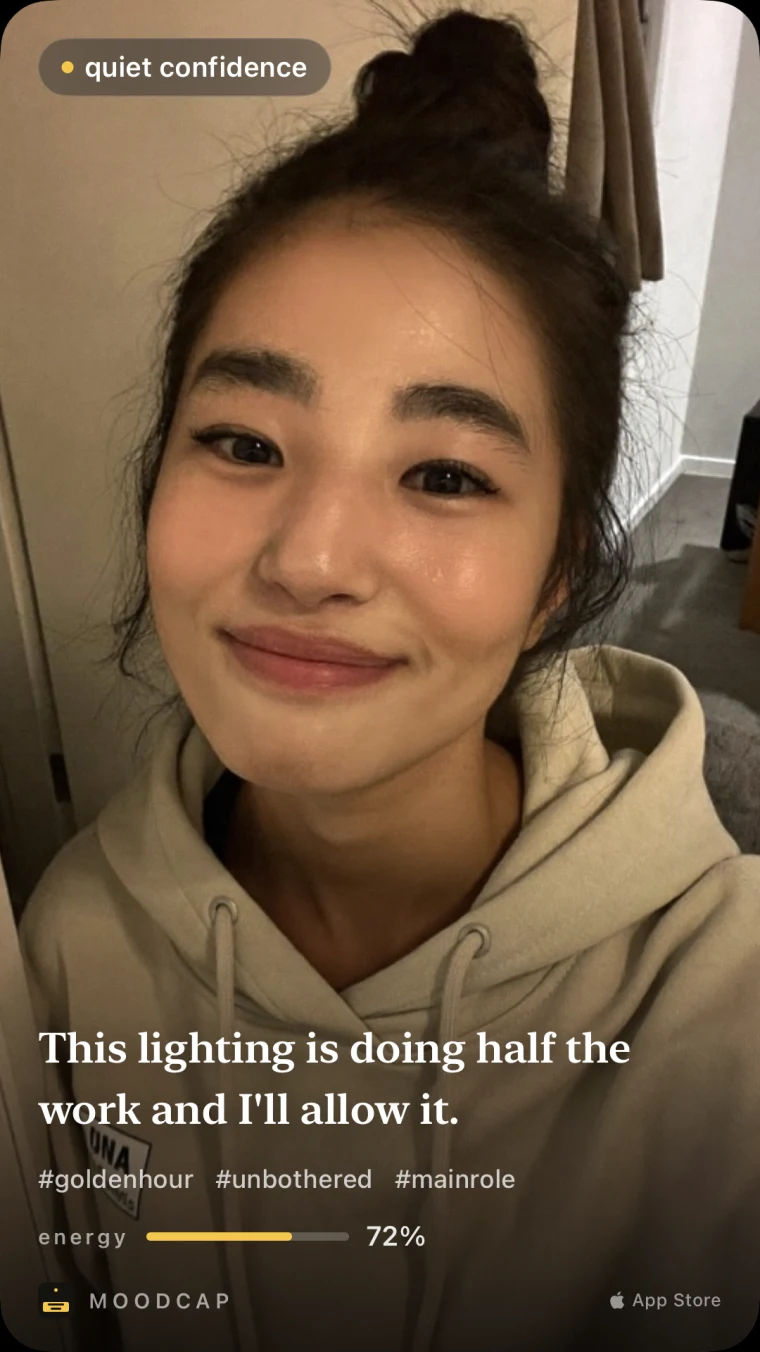
01
Point the camera and watch the energy meter fill and the mood colour shift, in real time, read entirely on your device. Switch on Auto and MoodCap takes the shot at your peak, so you stop guessing the timing.
02
Then AI reads the vibe in the photo and writes the inner monologue — one line, laid out on a 9:16 card built for your story, with a mood, three hashtags and an energy score. Me today, your pet, or the two of you with a chemistry score.
03
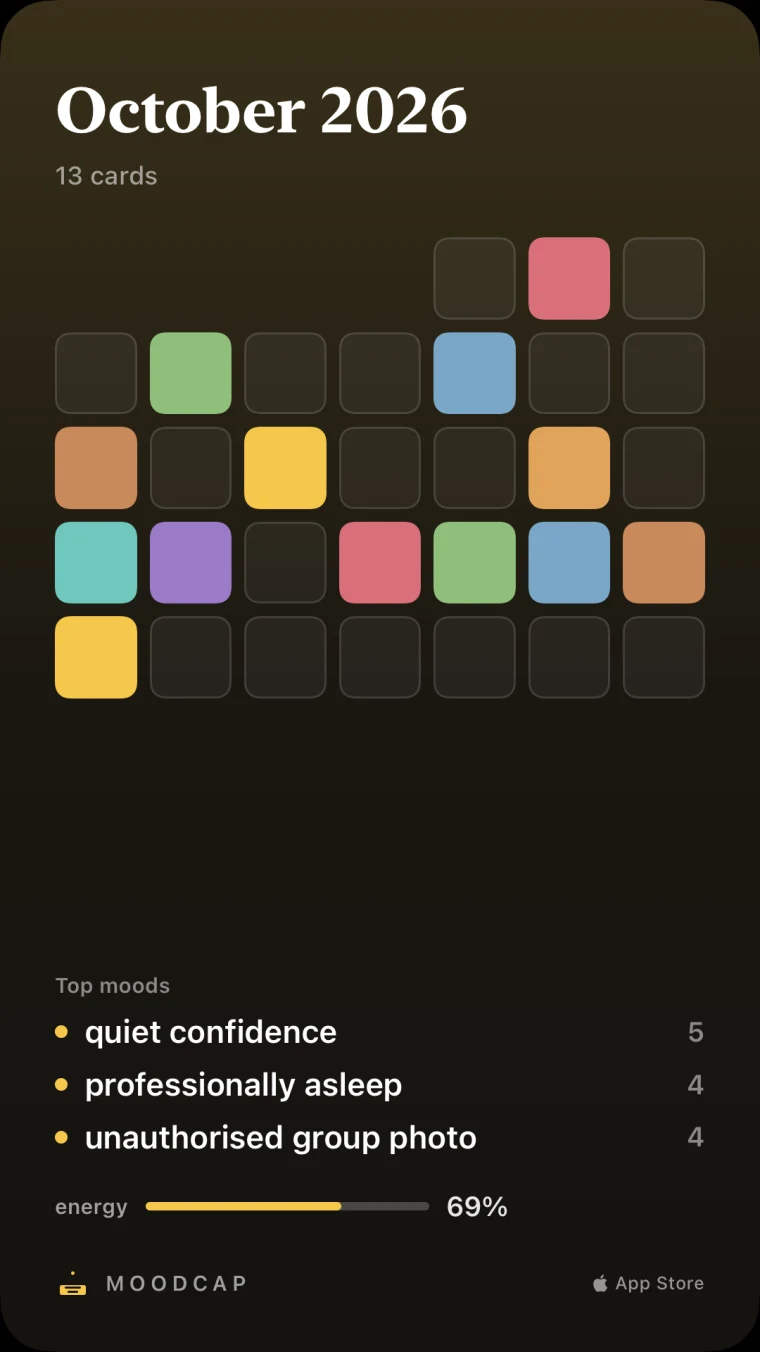
Every card is saved on your phone into a private diary. Each month becomes a palette — one colour square per day — so a whole month of moods fits on a single screen. Nothing is uploaded: the timeline never leaves your phone.
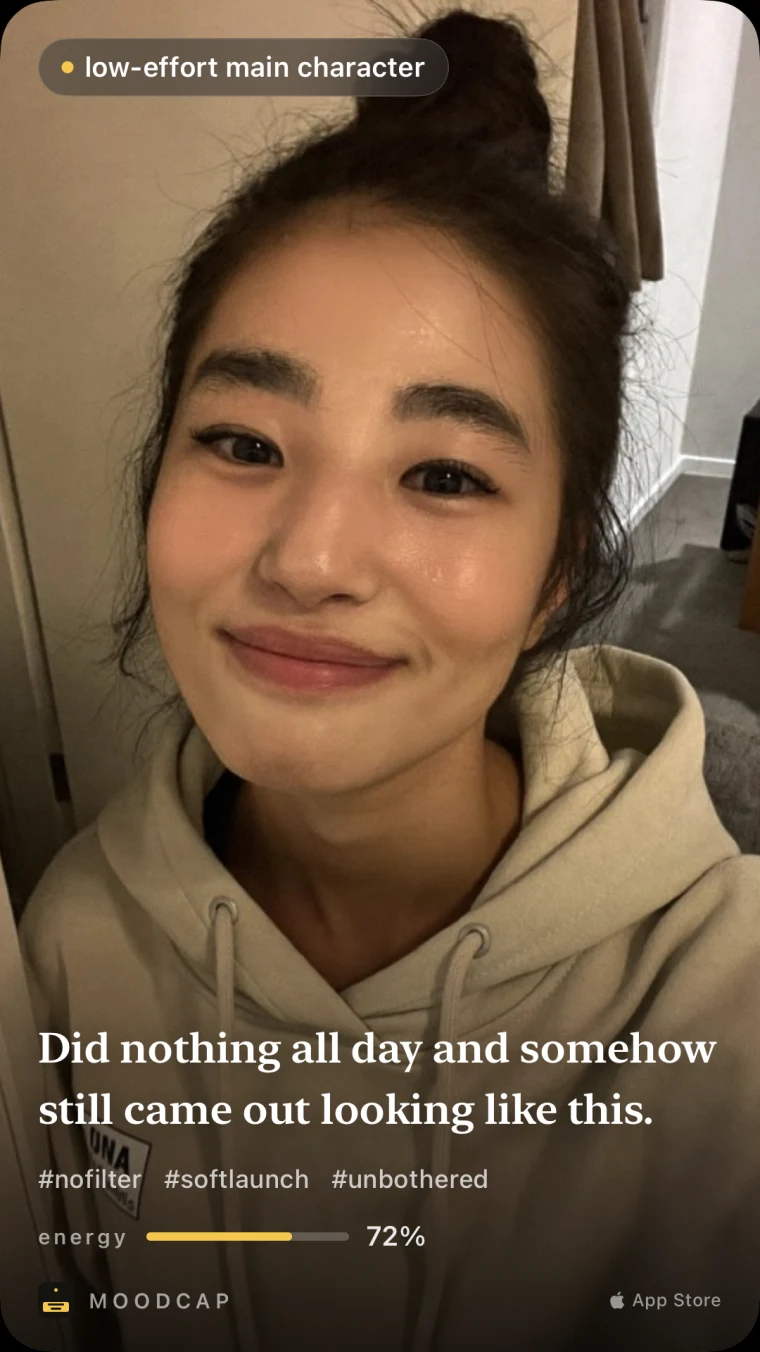




The lines are not generic. Each one is written from what is actually in your photo — the messy bun, the third coffee, the guilty dog face. Pick your caption language in Settings: 39 to choose from, your phone’s language by default.
The same live camera and the same private diary — now with a line you can dress up any way you like, more of you in every card, more ways to keep it, and a reason to come back tomorrow.
NEW IN 1.2
Make the line on your card look the way the moment feels. Six looks — Basic, Note (torn paper), Tape (masking tape), Bubble, Highlighter and Outline — in a handwritten face (Nanum Pen Script), a serif or a sans.
Swipe the line on the card to try the next look, or tap it for the full sheet. Drag it anywhere on the photo and turn it a little with two fingers. The look you pick is the one you share and save, and the one you see again in your diary, widget and recap.
Every look, typeface and colour is free for everyone. None of it needs MoodCap Plus.
ALSO NEW · 1.2.3
Right after your first card you can turn on a daily nudge and add the Home Screen widget, without hunting through Settings. Both stay free.
ALSO NEW · 1.2.2
Switch away while a card is still being made and it keeps going. It lands in your diary, and a banner on Home lets you know it is ready.
ALSO NEW · 1.2.1
Settings now has a “Send usage statistics” switch, and the privacy policy describes exactly what is sent.
NEW IN 1.1
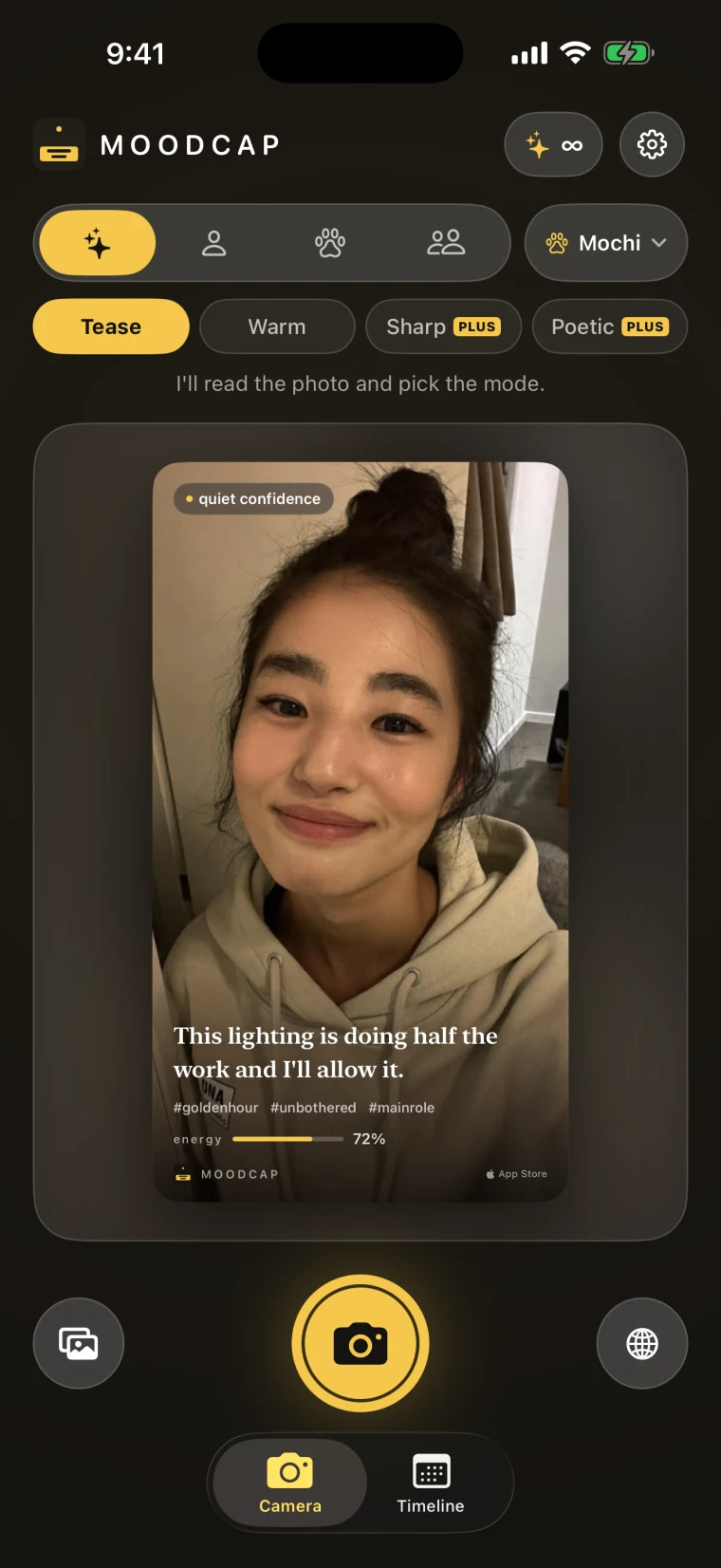
Tell MoodCap who is in the photo: you, up to three pets, or the two of you. Give each one a name, three traits and a short note, and the line starts to sound like it knows them.
Then pick how it talks: Tease or Warm, free — or Sharp and Poetic with PLUS. Profiles stay on your iPhone; only the one that fits the photo travels with it, to write the line.
NEW IN 1.1
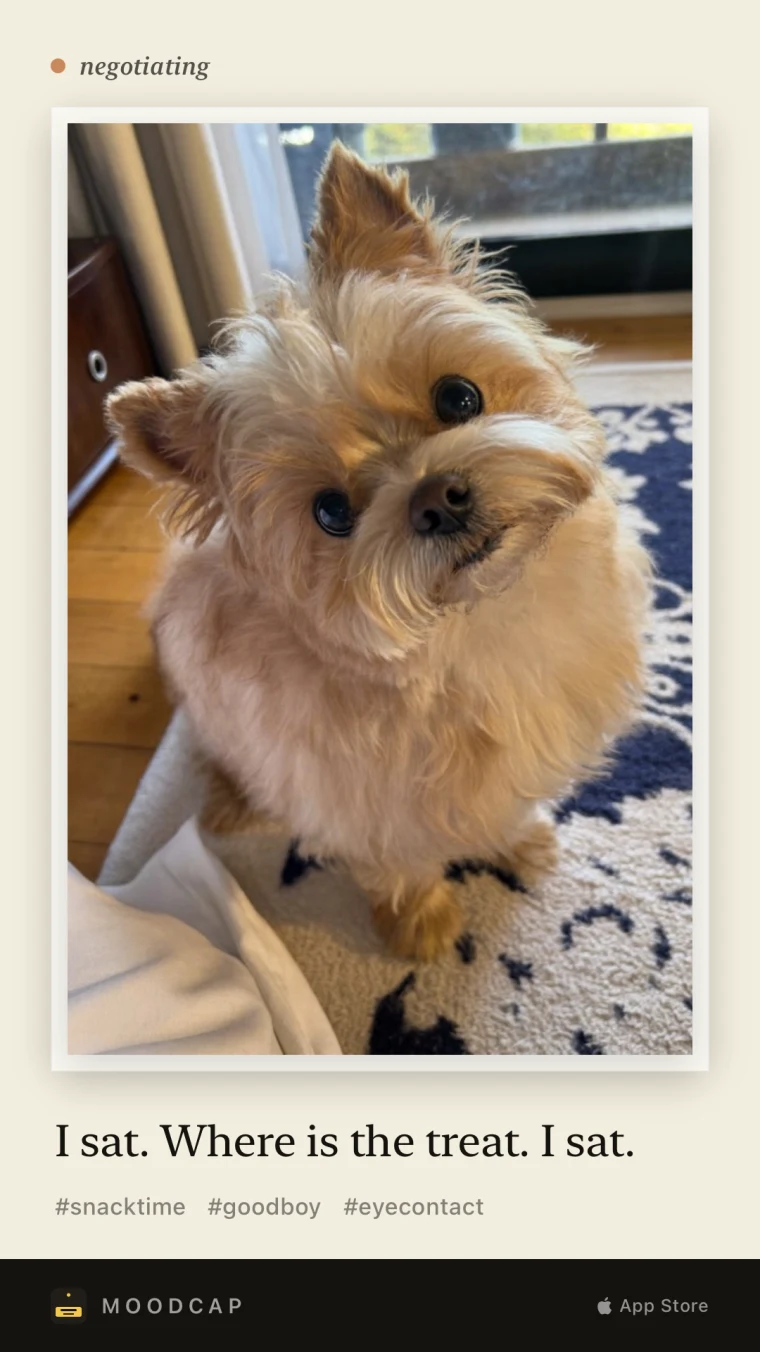
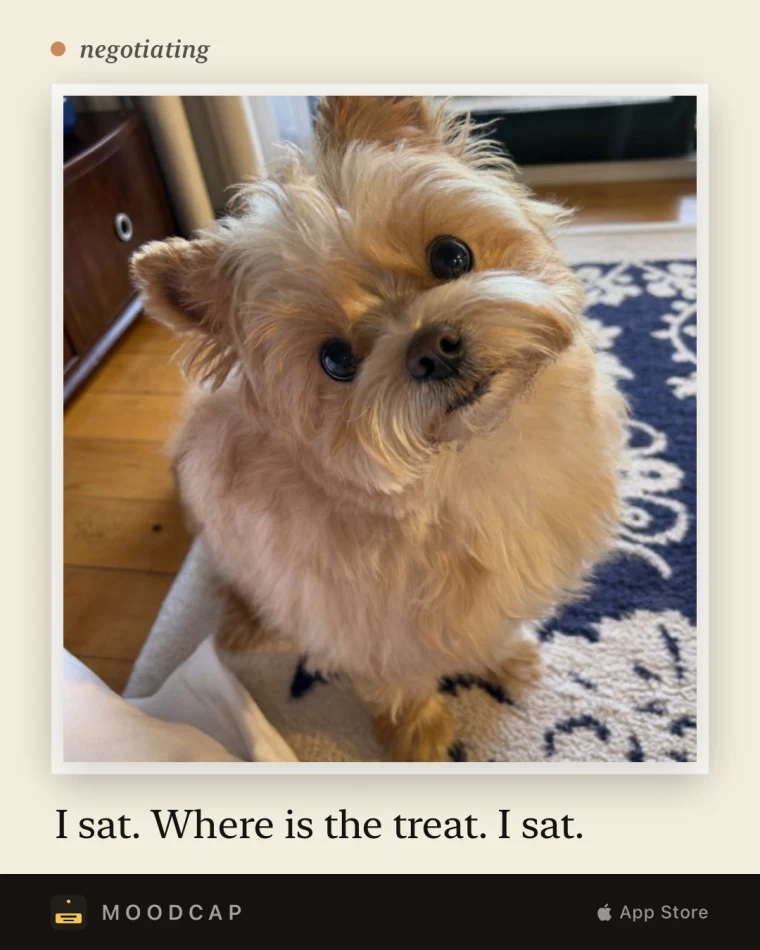
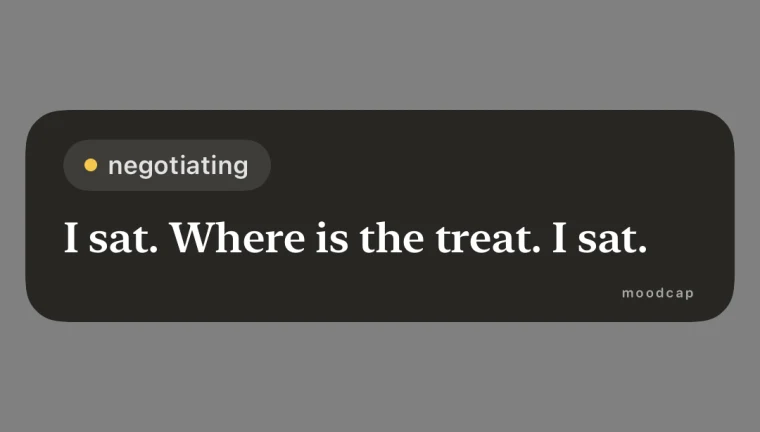
Three styles — Classic, Film and Minimal — each in 9:16, 4:5 or 1:1, so the same moment fits a story, a feed post or a square.
Or export just the line as a transparent sticker and lay it over your own story. Classic is free in every size; Film, Minimal and the sticker come with PLUS.



NEW IN 1.1
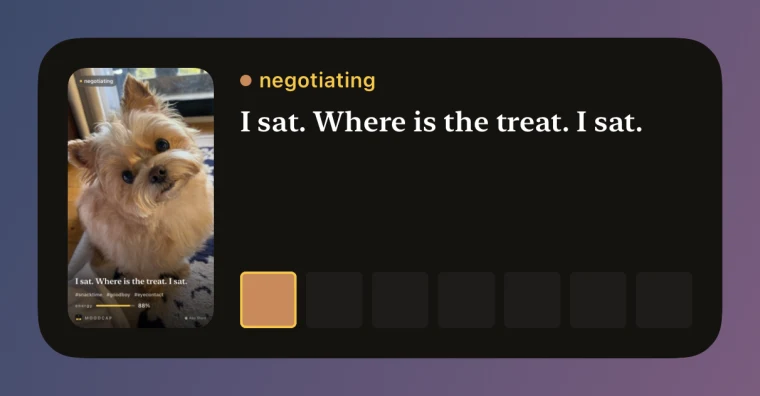
Add a small or medium widget to your Home Screen and today’s card, or the week’s palette, is there every time you unlock. No card yet? One tap opens the camera.
A daily reminder is off until you turn it on. Pick the time and it nudges you once a day — and stays quiet on days you have already made a card. Since 1.2.3 you can switch on both right after your first card. Both are free.

NEW IN 1.1
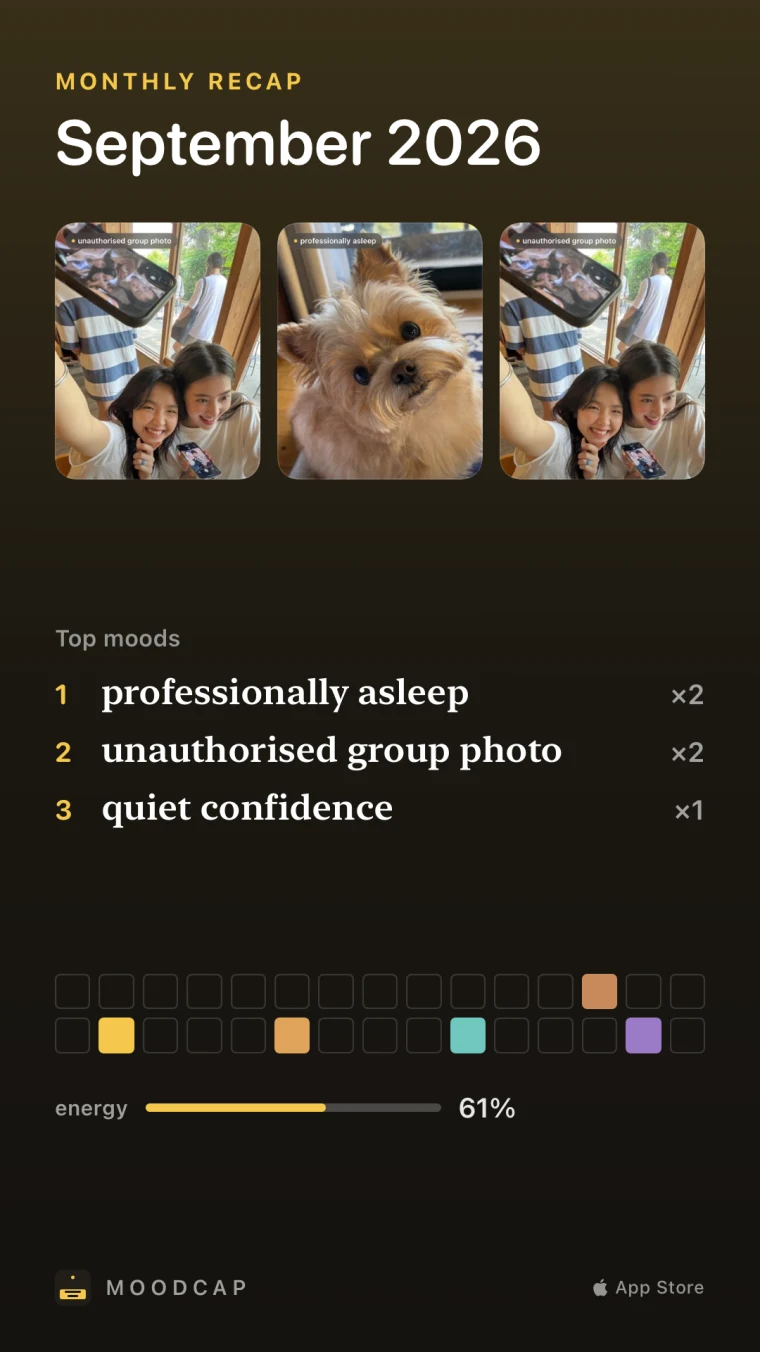
On the first of the month, last month comes back as one poster: three representative photos, your top moods, the month’s palette and the average energy.
Open it any time from the timeline. The recap is built on your phone from your own diary; sharing the poster comes with PLUS.
Plus 10 welcome credits the moment you install. Every share you complete earns one more, up to three a day, and a reroll is free twice on every photo. Want more? A 30-line pack is one tap away, or MoodCap Plus for unlimited. No account, no sign-up.
On an iPhone with Apple Intelligence, MoodCap writes the line on the device itself: unlimited, free, and the photo never leaves your phone.
A photo is sent only to write its line, and never kept — cloud captions stay off until you turn them on. Read the privacy policy.
The live mood reading, your diary and every on-device caption stay on your iPhone. Nothing is uploaded, and there is nothing to sign in to.
An optional subscription for people who make a card most days. It adds:
$17.99 / year
Free for 7 days, then $17.99 a year. Cancel at least 24 hours before the trial ends and you pay nothing.
$2.99 / month
Month to month, no trial. Cancel any time in your App Store account settings.
$0
Just need a few more? One 30-line pack, $0.99, no subscription. The diary, timeline, widget, reminders and every caption look stay free — with or without Plus.
Prices shown in US dollars; the App Store shows the current price for your country before you buy. Payment is charged to your Apple Account at confirmation. The subscription renews automatically unless cancelled at least 24 hours before the end of the current period, and your account is charged for renewal within 24 hours before the period ends. Manage or cancel any time in your App Store account settings. Any unused part of a free trial is forfeited when you subscribe. Terms of Use (EULA) · Privacy Policy
See the mood before you press the shutter.
Download on the App Store